
Building modern, high-quality software is no longer just about sitting down and typing out lines of code. With modern release cycles speeding up, systems growing more complex, and new technologies emerging constantly, developers need the right stack of tools to plan, build, test, secure, and deploy their applications smoothly.
Software development tools have become far more automated, intelligent, and collaborative. They remove friction from everyday workflows, help teams avoid silly mistakes, and allow engineers to focus on what actually matters: solving problems and delivering value.
Whether you are a solo developer, part of an engineering team, or working with a custom software development company, having a reliable personal toolkit easily saves hours of frustration every single week.
Let’s take a close look at the essential software development tools driving modern engineering, covering key features, pros, cons, and why they deserve a spot in your workflow.
What Are Software Development Tools?

At their core, software development tools are specialized programs, platforms, and utilities that help engineers design, write, test, debug, and maintain software applications.
They cover every single phase of the Software Development Life Cycle (SDLC):
  ┌─────────────────────────────────────────────────────────────┐
  │                 SOFTWARE DEVELOPMENT LIFECYCLE              │
  ├─────────────────────────────────────────────────────────────┤
  │  Planning  ➔  Coding  ➔  Testing  ➔  DevOps  ➔  Deployment   │
  └─────────────────────────────────────────────────────────────┘
Rather than forcing developers to manually handle every low-level task, modern tools automate repetitive processes like code formatting, environment setup, database queries, and API testing. The global software development tools market continues to grow rapidly as organizations invest heavily in developer productivity and application security.
Core Code Editors & IDEs
Your code editor is where you spend most of your working day. Choosing the right one directly impacts your coding speed and comfort.
1. Visual Studio Code (VS Code)
VS Code remains the gold standard code editor across the tech industry. Developed by Microsoft, it strikes a balance by being lightweight and fast while offering the power of a full IDE through extensions.
                  ┌─────────────────────────────────────────────┐
                  │            VS CODE CORE UTILITIES           │
                  ├──────────────────────────────┬──────────────┤
                  │ Integrated Terminal          │ Built-in Git │
                  │ Extension Marketplace        │ Debugging    │
                  │ IntelliSense Completions     │ Remote SSH   │
                  └──────────────────────────────┴──────────────┘
Key Features:
- IntelliSense: Provides smart code completion, function definitions, and instant error checking.
- Built-in Git Support: Stage changes, write commit messages, and manage branches directly inside the editor.
- Massive Extension Ecosystem: Customize the editor for any programming language, framework, or cloud service.
- Integrated Terminal: Run command-line tools, scripts, and build tasks without switching windows.
Pros & Cons:
- Pros: Free, open-source, lightweight, runs smoothly on modest hardware, and backed by a massive community.
- Cons: Heavily reliant on third-party extensions; installing too many plugins can occasionally slow down performance.
2. IntelliJ IDEA
Developed by JetBrains, IntelliJ IDEA is widely considered the king of Integrated Development Environments (IDEs) for JVM-based languages like Java, Kotlin, and Scala.
Key Features:
- Advanced code refactoring and navigation utilities.
- Deep integration with popular enterprise frameworks like Spring and Hibernate.
- Built-in tools for database management, profiling, and version control.
Why Use It: If you work on large-scale enterprise Java or Kotlin applications, IntelliJ’s deep static code analysis catches bugs long before your code ever hits production.
Infrastructure, Containers & Databases
Setting up local development environments used to be a nightmare of mismatched software versions and configuration errors. Modern container and database tools have largely eliminated that pain.
┌─────────────────────────────────────────────────────────────────────────┐
│                      CONTAINERS VS UTILITY TOOLS                        │
├───────────────────────────────┬─────────────────────────────────────────┤
│ Docker Containers             │ Universal Database Tools (DBeaver)      │
├───────────────────────────────┼─────────────────────────────────────────┤
│ Packages apps with dependencies│ Single interface for multiple databases │
│ Eliminates "works on my machine"│ Built-in ER diagrams and SQL editor    │
│ Standardizes team environments│ Easy data export and query history      │
└───────────────────────────────┴─────────────────────────────────────────┘
3. Docker
The classic phrase “It worked on my local machine” should have been retired years ago. Docker solves environmental inconsistency by packaging applications and all their dependencies into lightweight, isolated containers.
Why Developers Rely on Docker:
- Consistent Environments: Ensures code runs identically on your laptop, your teammate’s machine, and production servers.
- Fast Onboarding: New team members can spin up complex multi-service applications with a single command (
docker compose up). - Isolated Testing: Run databases, caching layers (like Redis), or message queues locally without installing messy software directly onto your operating system.
4. DBeaver
Managing multiple database engines using different GUI tools gets messy very quickly. DBeaver solves this by providing a single, universal database management tool for almost every popular database engine.
Supported Database Engines:
- Relational: PostgreSQL, MySQL, SQLite, SQL Server, Oracle.
- Cloud & Enterprise: Snowflake, Amazon Redshift, Google BigQuery.
- NoSQL: MongoDB, Cassandra (via plugins).
Features Developers Love:
- Smart SQL editor with autocompletion and syntax highlighting.
- Automatic ER (Entity-Relationship) diagram generation to visualize database schemas.
- Powerful data import and export capabilities across multiple file formats.
API Testing & Developer Platforms
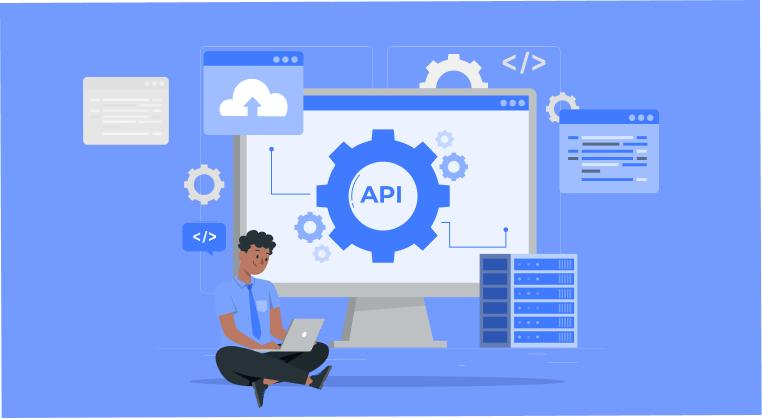
Modern applications are built on APIs. Having fast, reliable ways to inspect, test, and document those APIs is essential for backend and frontend developers alike.
5. Postman & Hoppscotch
Testing REST, GraphQL, or gRPC endpoints using command-line curl commands gets tedious fast. GUI-based API clients let you build, organize, and execute HTTP requests visually.
                  ┌─────────────────────────────────────────────┐
                  │              API CLIENT FEATURES            │
                  ├──────────────────────────────┬──────────────┤
                  │ Request Building & Headers   │ Auth Tokens  │
                  │ Automated Test Scripts       │ Collections  │
                  │ Environment Variables        │ API Docs     │
                  └──────────────────────────────┴──────────────┘
- Postman: The feature-rich industry heavyweight. Excellent for team collaboration, mock servers, automated testing suites, and API documentation.
- Hoppscotch: The lightweight, open-source alternative. It runs directly in your browser, loads instantly, and is ideal for developers who want a fast, no-nonsense API tester without bloated account requirements.
6. GitHub
GitHub has long evolved past being a simple code-hosting website. It is now a complete end-to-end developer platform that handles everything from source control to automated deployments.
Core Platform Offerings:
- Version Control: Secure Git repository hosting for open-source and private projects.
- GitHub Actions: Powerful CI/CD pipelines that automatically build, test, and deploy your code on every pull request or push.
- Project Management: Integrated issue trackers, project boards, and code review tools to keep teams aligned.
- GitHub Codespaces: Cloud-hosted development environments accessible directly inside a web browser.
Essential VS Code Extensions for Maximum Productivity
If VS Code is your main editor, adding a few high-value extensions instantly upgrades your daily development workflow:
- GitLens: Supercharges built-in Git capabilities by showing inline author blame, commit details, and visual line-by-line history.
- Prettier: Automatically formats your JavaScript, TypeScript, HTML, CSS, and JSON code every time you save your file.
- Docker Extension: Manage containers, images, volumes, and compose files directly from your VS Code sidebar.
- REST Client: Allows you to send HTTP requests and view responses right inside your text editor using simple
.httpplain-text files. - Python / Language Support Plugins: Adds deep IntelliSense, linting, debugging, and environment selection tailored specifically to your programming language.
Frequently Asked Questions
1. What is the difference between a Code Editor and an IDE?
A Code Editor (like VS Code) is lightweight, fast, and focuses primarily on text editing, expanding its capabilities through plugins. An IDE (Integrated Development Environment, like IntelliJ IDEA) is a complete, feature-rich suite out of the box, containing built-in compilers, advanced refactoring engines, profilers, and deep framework integrations tailored to specific programming languages.
2. Is Docker necessary for simple web development?
While not strictly mandatory for small single-file projects, Docker is extremely beneficial for modern web applications. It prevents software version conflicts, lets you spin up local databases in seconds without installing them directly on your computer, and guarantees your app runs the same in development as it does in production.
3. Are all these tools free to use?
Most of the tools covered—including VS Code, Docker Personal, Hoppscotch, DBeaver Community Edition, and basic GitHub plans—have very generous free tiers or are completely open-source. They offer all the features individual developers or small teams need to build software without spending money.
4. Which code editor is best for a beginner?
VS Code is widely recommended for beginners. It has a massive library of tutorials, intuitive default settings, a clean user interface, and an active community that makes troubleshooting easy regardless of which language you learn first.
5. Why do developers need API testing tools like Postman or Hoppscotch?
API testing tools allow frontend and backend developers to test server endpoints, send custom headers or authentication tokens, inspect response payloads, and verify error codes visually—saving significant time before writing frontend code to connect to those endpoints.